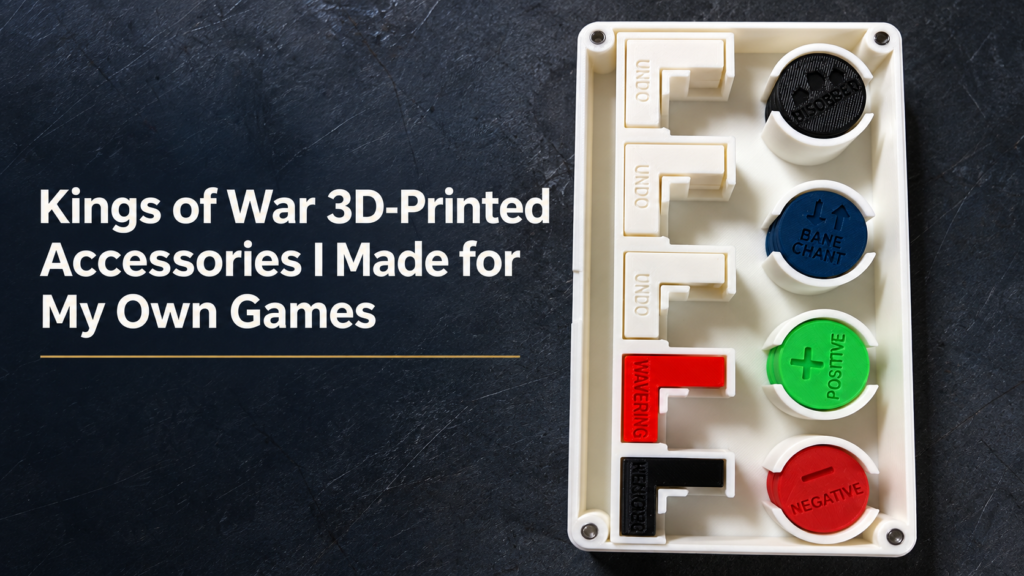
Kings of War’s multibasing system gives players plenty of room to be creative. You can build an entire scene on a regiment or horde base, with terrain, scenery, and models arranged however you like. Getting the base itself exactly how you want it can be a little more complicated. You need the right dimensions, somewhere to put your magnets, and potentially a textured surface that works with the rest of your army. I’ve been working on a new tool for Data & Dice to make that process easier.
Base Forge is a free, browser-based tool that lets you design custom Kings of War bases and download them as 3D-printable STL files. No CAD experience required.
What can Base Forge do?
The basic idea is straightforward. Choose the size of your base, select a terrain surface, customize a few settings, and download the finished STL.
1. Choose your base size
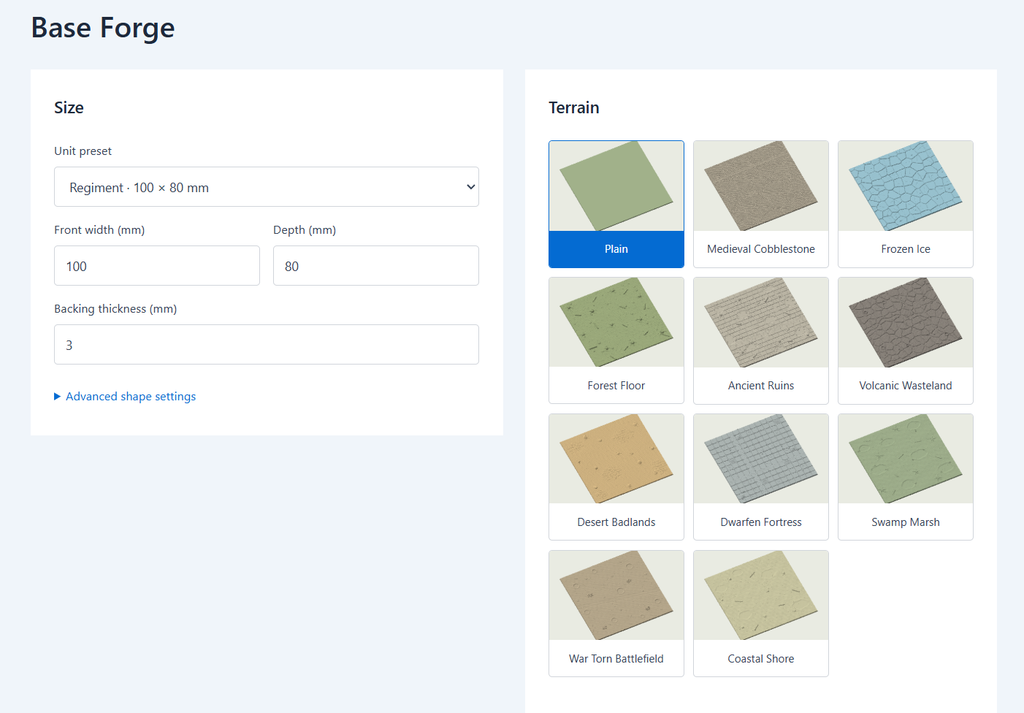
Base Forge includes presets for common Kings of War unit footprints, including infantry, cavalry, large infantry, and monsters. You can select the appropriate unit type and size without having to remember its dimensions. You can also enter custom dimensions and adjust the thickness of the base. This is useful if you’re building a new army, replacing existing multibases, or experimenting with something a little different.
2. Add a textured terrain surface
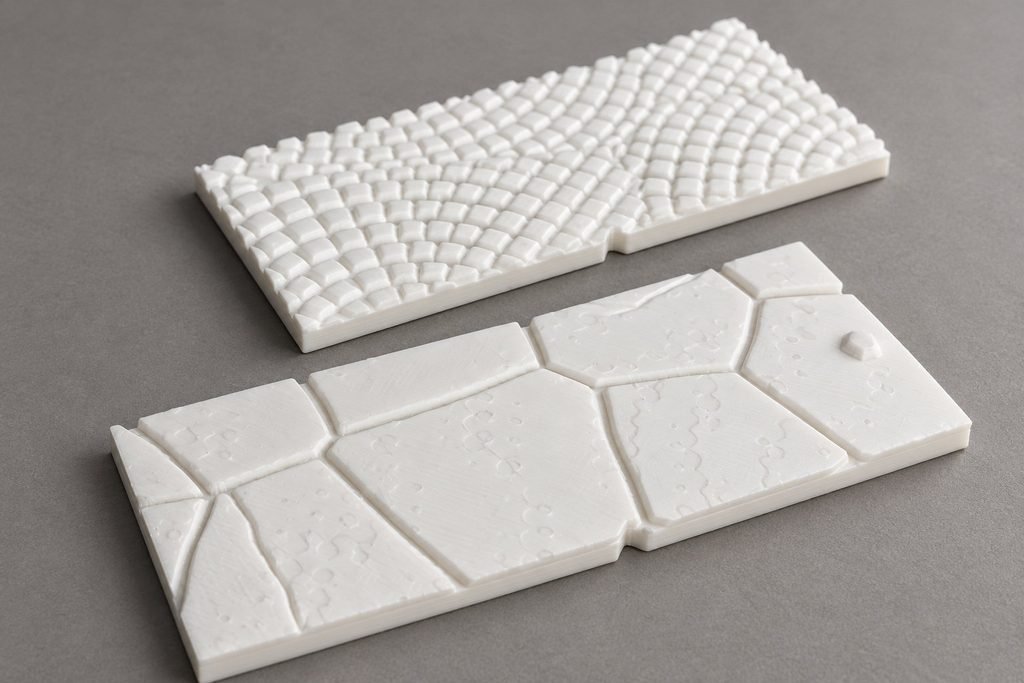
This is probably my favorite part of the tool. Base Forge currently includes ten terrain surfaces, ranging from medieval cobblestones and ancient ruins to frozen ice, forest floors, deserts, and volcanic wastelands. Each surface uses a detailed 3D terrain model. The generator takes an appropriately sized section of that terrain and applies it to your selected footprint. You can also click Try another patch to select a different area of the terrain. That means you can create several bases with a consistent theme without repeating exactly the same texture across every unit. Or you can stick with a plain base if you prefer to create your own scenery.
3. Customize magnets and facing markers
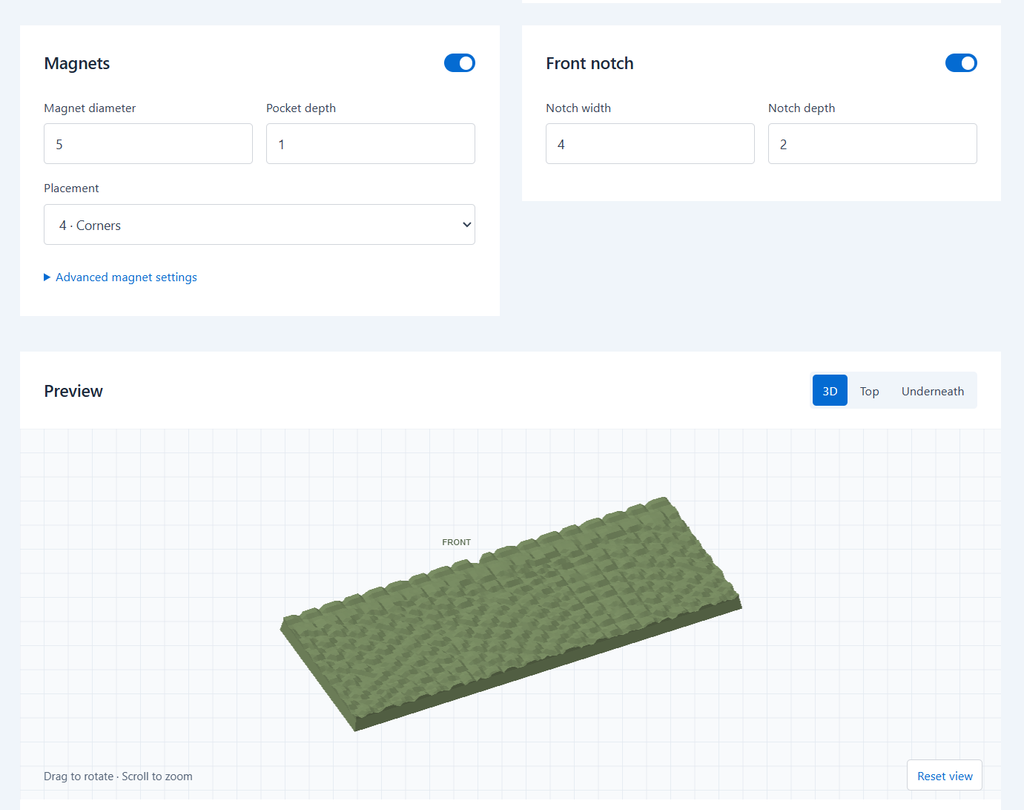
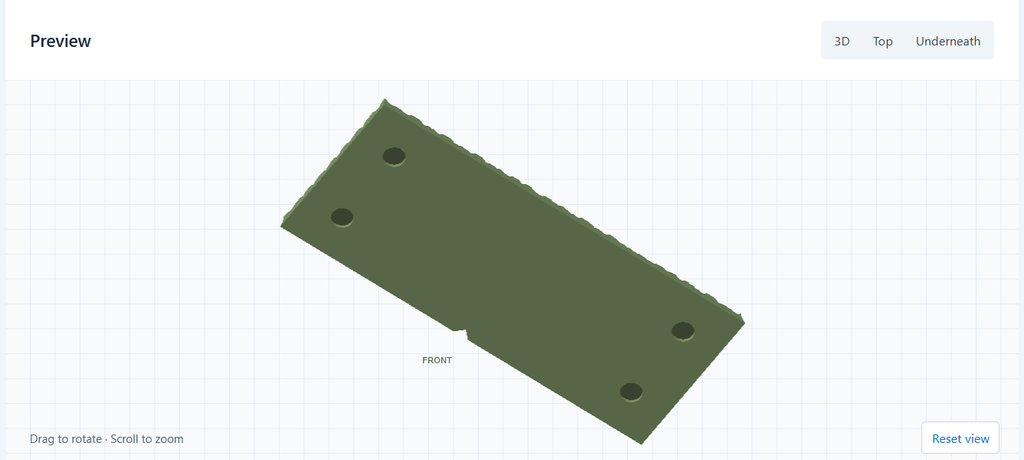
I’ve also included a few features that are particularly useful for Kings of War. You can add recessed magnet pockets to the underside of your base and customize their diameter, depth, and positioning. That should make it easier to secure units to magnetic movement trays or storage solutions. There’s also an optional notch at the front center of the base. You can adjust its dimensions or turn it off entirely. I find having a clear reference for the front center useful when positioning units, and it’s particularly relevant with fourth edition’s focus on clearly defined unit positioning.
4. Preview and download
As you make changes, Base Forge updates an interactive 3D preview. You can rotate the model, zoom in, and switch between top, perspective, and underside views. The underside view is particularly useful for checking your magnet pocket layout. Once you’re happy with the design, click Download STL. You can then import the file into your preferred 3D-printing slicer and prepare it for printing.
A few notes on printing
The tool is designed to work with standard STL-based 3D-printing workflows. The generated models have undergone software geometry checks, but printer settings, materials, and magnet tolerances can all affect the final result. I’d recommend printing a smaller base first to check the texture detail and magnet fit before committing to a full set of regimental or horde bases. The textured surfaces currently support footprints up to 250 × 250 mm, while plain bases allow larger custom dimensions.
Give it a try
I built Base Forge because I wanted another practical tool for the Kings of War community. It sits alongside the tournament analysis and other utilities I’ve been developing for Data & Dice. The current version covers the basic things I wanted: accurate footprints, terrain options, magnet recesses, and the ability to create a printable model without spending time in CAD software. I’d be interested in hearing what other players find useful and what could be improved. More terrain styles? Different marker options? Other base shapes or specialized features? For now, the generator is available to use for free.
Try Base Forge here → https://bases.dataanddice.com/
If you use it to create something, I’d love to see how your bases turn out.